Every student's recipe book, digital from day one.
A free shared recipe book for your cookery course. Add a recipe once and the whole class has it on their phone. Free for the college. Free for the students.
Ask for a free yearThe problem
- Notebooks get lost. A year of practicals in one splashed book.
- Handouts go missing. Every change means printing again.
- Allergens get skipped. Knowing the 14 allergens is part of the job, but they're rarely written down.
How it works
- 1Your course gets its own kitchen. With your college’s name and logo, so it feels like yours.
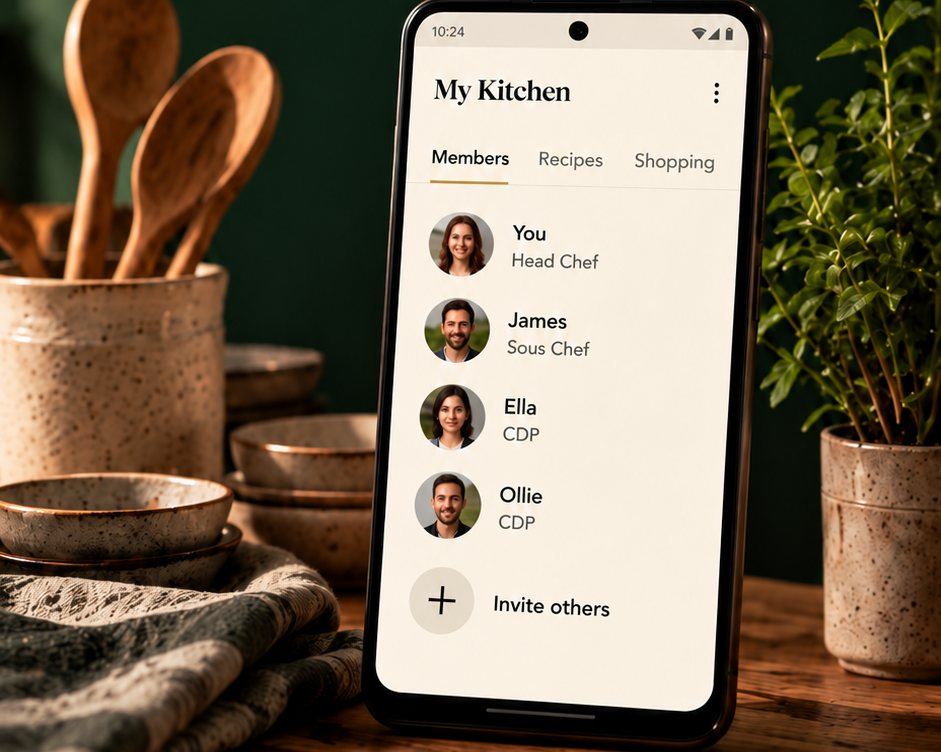
- 2Students join with a code. You approve each one. They see every course recipe on their phone.
- 3Add a recipe once. Photograph your handwritten sheet, speak it or type it. Mise lays it out and flags the allergens for you to check. Every student has it straight away.
- 4Students build their own book. They copy course recipes into their own collection and add their own. Those are theirs to keep.
What it costs
Nothing, for the college or the students, for the course year. When the course ends, students keep the recipes they copied. Anyone who wants to carry on with everything Mise does can subscribe for themselves. Nothing is charged automatically.
Questions lecturers ask
Is it really free?
Yes. Free for the college and free for the students for the course year. No card, no contract.
What happens at the end of the course?
Students keep every recipe they copied into their own book. If they want to carry on with everything Mise does, it’s £3.99 a month (99p for the first month). No one is charged automatically.
Can we start fresh each year?
Yes. Start a new kitchen for the new intake. Last year’s stays as it was, so nothing is lost.
Can I see what each student does?
No, and that’s on purpose. Mise is for sharing recipes, not for watching people. You see kitchen totals, like how many recipes there are.
Where is the data kept?
In London. Recipes are never sold. Students can delete their account themselves at any time.
Do students need to download an app?
No. It runs in the phone’s browser and can be added to the home screen in two taps.
What happens next
- 1We get in touch. Within two working days, to agree your course dates and how many students.
- 2You get your sign-up link. Your free year starts the day you sign up.
- 3You create your course kitchen. Two minutes in Settings. Add your logo, or we’ll add it for you.
- 4Your students join. Share the sign-up link and your kitchen code with the class, and approve each one as they join.
Ask for a free year
Tell us about your course and we'll set it up with you. It takes about ten minutes.
Or email hello@miseapp.uk