How to digitise your recipe notebook
Years of recipes in one book, covered in flour and sauce. If it gets wet, lost or walks out with a chef, it’s gone. Here’s how to get it onto your phone and in front of your whole team, without losing a weekend to typing.
Why bother?
- It can't be lost. A notebook is one copy. Digital recipes are backed up.
- The whole brigade cooks from the same page. No more “which version is right?”
- Allergens are written down. The 14 allergens need to be known for every dish. A notebook rarely says.
- You can find things. Search “beurre blanc” instead of flicking through 200 pages.
Three ways to do it
1. Type it up
Open a document or spreadsheet and copy each recipe out. It's free and you check every word as you go. But a full notebook takes days, and in a busy kitchen it never gets finished.
2. Photograph every page
Snap each page into a phone album or shared folder. Fast, and the notebook is safe. But a photo can't be searched, scaled or checked for allergens, and messy handwriting is just as hard to read on a screen.
3. Use an app that reads handwriting
You take the photo, and the app turns it into a proper recipe: ingredients, method, quantities. This is what we built Mise for. It reads messy handwriting, works out the allergens and shares the recipe with your kitchen. You still check it, but checking takes a minute where typing takes twenty.
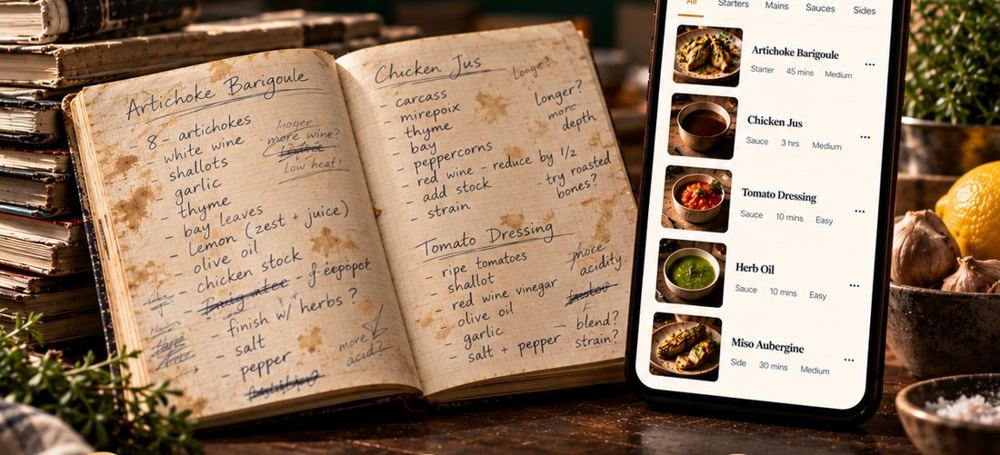
Step by step with Mise
- 1Photograph the recipe. Tap Capture and take the page. Recipe runs over two pages? Take both, and Mise reads them together.
- 2Let Mise read it. In a few seconds you get the recipe back as ingredients and method. Anything it isn’t sure of is flagged, so you know where to look.
- 3Check it. Fix any word it got wrong. Spelling is tidied as it goes, so most of this is a quick read.
- 4Check the allergens. Mise works them out from the ingredients and only ever adds an allergen. Taking one off is your call, never the app’s.
- 5Share it with your kitchen. Tick your kitchen when you save, and every chef in it has the recipe straight away.
Got a whole notebook? Use Bulk import: photograph the whole stack in one go, tapping “New recipe” between recipes. Mise reads them overnight and emails you when they're ready (paid plan). No handwriting to hand? Speak the recipe or type it instead.
Tips for photos the app can read
- Good light, no shadow. Daylight or the pass lights. Keep your phone's shadow off the page.
- Flat and square on. Hold the book open and take the photo from straight above.
- Fill the frame. Get the whole recipe in, with as little worktop as possible.
- One recipe at a time. If a recipe runs over two pages, take both.
- Wipe the lens. Kitchen phones are greasy. It makes more difference than you'd think.
Keep the notebook
Digitising isn't about throwing it away. The book is part of how you cook, and the notes in the margins matter. Keep writing in it. Just snap the new pages as you go, so the kitchen always has the latest version.