
How to share recipes with your kitchen team
“Who changed the recipe?” Every kitchen has heard it. Recipes live in heads, notebooks and a WhatsApp group nobody can search. Here’s how to get everyone cooking from the same page.
What goes wrong
- Versions drift. Someone tweaks the seasoning, and now there are three “right” versions.
- Recipes leave with people. A sous chef moves on and the best sauce goes with them.
- New starters guess. They ask, they get told different things, the dish changes.
- Allergens get missed. A swapped ingredient brings in an allergen nobody wrote down.
The usual ways, and their catch
A WhatsApp group
Everyone's already on it, so it's quick. But recipes get buried under rotas and banter, photos can't be searched, and there's no way to tell which one is the latest.
A printed folder on the pass
Easy to grab mid-service. But it gets splashed, pages go missing, and every change means reprinting. Nobody takes it home to learn the menu.
A shared drive or spreadsheet
One copy, which helps. But it's fiddly on a phone, anyone can overwrite anything, and it's hard to see what changed.
A shared kitchen recipe book
An app built for it: one version of each recipe, on everyone's phone, with every change kept. This is what Mise does.
What good looks like
- One version of each recipe, and everyone sees it.
- On every chef's phone, readable mid-service with floury fingers.
- Every change saved: who changed what, and a way to put it back.
- Allergens on every recipe, kept up to date when ingredients change.
- The recipes belong to the kitchen. When a chef leaves, they stay.
- A chef's own recipes stay theirs. Their personal book isn't the kitchen's.
Step by step with Mise
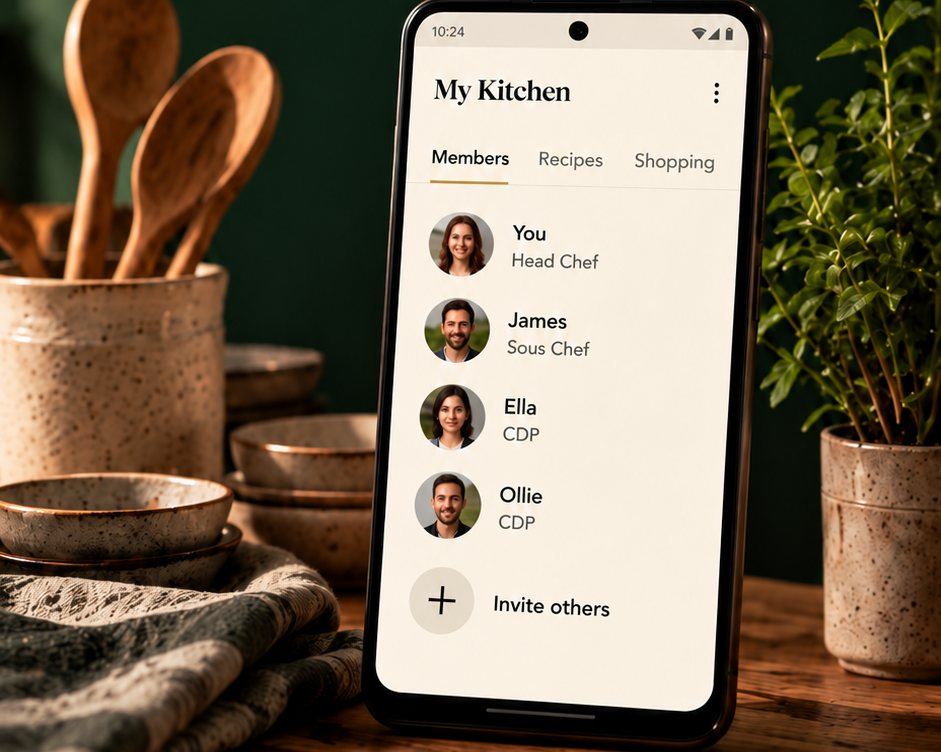
- 1Create your kitchen. Settings → Create your own kitchen. You’re the owner.
- 2Invite your team. Settings → Manage kitchen shows your invite code. Send it to your chefs.
- 3They join, you approve. Each chef enters the code under Settings → Join with code. You (or an admin) approve them, so only your team gets in.
- 4Add your recipes. Photograph, speak or type a recipe and tick the kitchen when you save. Already have it? Open it and tap “Send to” your kitchen.
- 5Cook from the same page. Everyone can edit. Every change is kept under “See changes”, and the owner or an admin can put an old version back in one tap.
Owners and admins see how the kitchen uses Mise as kitchen totals only, never per person. Nobody is being watched.